





Main author
Multiple Author ArticleHow to track progress on a BREEAM Project
Contents |
[edit] Information management or ‘tracker’ tools
This article provides a place to share what works best in terms of tracking progress on BREEAM related projects. If you do something different to what is already listed below please add it.
[edit] BREEAM approved software
- We find both IES Tap and Tracker Plus are excellent tools
- Project management software such as IES Tap and Tracker Plus are excellent tools which will help you compile and reference evidence
[edit] Tracker+
- We use Tracker+ with monthly reports sent out to design team
- We use Tracker+ and add comments to this which can be downloaded in report format, I have some project teams that are happy to log into this.
- From the principal contractor's point of view Tracker+ is the best, but only when used correctly as we have all the evidence in one place and can re-visit it. It saves us time and duplication of work.
- Tracker+ is good but sometimes hard to convince everyone to use it
[edit] IES TaP
- We have used the IES TaP on projects. It has been very helpful for the entire project team for keep tracking of documents, progress and being transparent.
- IES Tap will allow you set up responsibilities and assign them to particular project team members.
- IES TaP is by far the most flexible and cohesive online BREEAM project tool, access and navigation across the platform is quick, easy and efficient, particularly like the way you can access uploaded evidence with just 2 mouse clicks and approve information with a specific reference & notes in less than a minute - this is critical as an assessor on multiple projects
- IES TaP allows assessors to manage projects far more efficiently than manually updated excel trackers - meaning more projects can be taken on by an assessor or assessor organisation without the risk of standards slipping.
- IES TaP provides a simple yet vast resource for clients and project team members to understand BREEAM requirements & deliverables. The way actions are tracked amongst the project team in a transparent manner provides motivation to individual consultants to complete them in a timely manner and reducing the amount of time the assessor takes chasing parties for their evidence.
- The report tools are simple, effective and can be filtered to identify a wide range of issues specific to the needs of the project team. This system allows the equivalent of excel trackers to be produced or updated with one mouse click - supremely more efficient than manual updates.
[edit] Other software
- 4P - it may also called '4 Projects' or 'V for Projects'
- 4P or Conject are common examples of document management on sites. It’s useful when assessors have access to them as all design partners including contractors and sub-contractors feed their documents there already. It means that no one needs to copy and paste from one software to another.
- Most large project teams are familiar with using 4P and I generally ask if they can set up BREEAM folders on this which evidence can be linked to, I can then download this fairly easily and it saves times searching for evidence.
- I use ProjectPlac, it is similar to Tracker+
- 4P and other non BREEAM specific collaboration platforms can be a real problem in BREEAM assessment terms - they only provide flat folders in which to store evidence - feedback from the assessor is not tracked, its not easy to supersede or reject incorrect evidence and quite often its unclear when evidence is being provided on a large project where multiple documents are being uploaded on a daily basis.
- Beware that on large collaboration sites such as 4P your notifications on unrelated documents will probably fill your inbox on a regular basis. Its never easy to make these sites specific to the BREEAM issues.
[edit] Excel
- I like the systems offered on Tracker Plus. But most of my clients prefer Excel spreadsheets so that comments can be added
- I use only Excel. One column for each design team member allows to easily track who has to do what
- We tend to start in an Excel sheet and then move into Tracker+ particularly before design stage assessment as we submit the assessment through Tracker Plus. However we end up duplicating the updates on both Excel & Tracker plus. Now we are trying to move to Tracker+ early in Stage 3 and reduce reliance on Excel. Although we would have a one-page Excel summary (which is quick to update anyway).
- I found that using an Excel spreadsheet is the easiest way to go. I've tried to use software tools, but I had a hard time convincing other team members to login and use them as well.
- Excel will take some work at first to prepare, but once done, it will be the easiest for the project team to use and comprehend.
- A password protected Excel is better than PDF as it is more flexible.
- We don't normally issue the excel file, only a pdf, however if asked specifically for the excel sheet then we send it
- I'm amazed assessors are still using Excel spreadsheets, they are bulky, corruptable, time intensive and require constant update - online portal systems such as IES TaP take the manual resource out of updating excel spreadsheets and you also effectively write your BREEAM Assessment report as you go - so once all the evidence has been received your report should be almost fully written.
[edit] Challenges
- Getting everyone to use the tool on a regular basis - is always a challenge
- I believe the biggest challenge is persuading BREEAM to move away from their extremely poor excel spreadsheet tools, which over the years have been, well, disastrous.
- The new BREEAM Projects page seems to be a bit more forward thinking but has still been executed poorly. Online BREEAM Project tools designed and developed by the private sector are far superior - as they have evolved from current assessors who have tried to develop a platform suitable of satisfying their day to day needs.
- Justifying the cost of private sector online BREEAM tools such as IES TaP & Tracker+ to a client for the first time is not easy, but in my experience the feedback and opinions of clients & consultants after using such tools are hugely positive and seen as excellent value for money - our clients feedback & satisfaction of the tools use is around 95% in favour.
[edit] General communication
[edit] Email
- When it comes to providing evidence on regular basis email is the best way
- I find clients prefer to email evidence rather than upload to each of the BREEAM issues
- Email issue of evidence is not ideal - they can often get lost within a busy inbox, subject titles can be misleading and attachments are easily corrupted or not backed up for recovery
- Quite often emails only go to one person, or one inbox, meaning a team of BREEAM Assessors working in a busy assessment organisation cannot access evidence when required or evidence can be misplaced.
[edit] Meetings and progress reports
- Presenting the trackers in regular (as a minimum, quarterly) meetings with the whole team present. Discuss responsibilities, changes, etc.
- Connection with the Client and project Team via phone/e-mail with monthly reports and schedule of tasks
- Issuing progress report to the project team is good to keep them up to date on what is still required
- Monthly progress reports which include a colour coded table for each credit are also an easy way to demonstrate what has been received and what is outstanding (e.g. credit is red for no evidence and green for all evidence requirements fulfilled)
BRE Global does not endorse any of the content posted and use of the content will not guarantee the meeting of certification criteria.
--Multiple Author Article 21:52, 21 Apr 2018 (BST)
Featured articles
Check out some of the best features and news from Designing Buildings as well as key stories from around the web.
Code of Practice for Electrical Energy Storage Systems.

ECA calls on members to comment on draft 4th edition.

Bringing together expertise and creating cultural benefits.

CIOB celebrates positive Ofsted report.

The Building Safety Regulator announces a call for evidence.

Government approach could undermine delivery and regeneration.
World's first mass timber data centre.
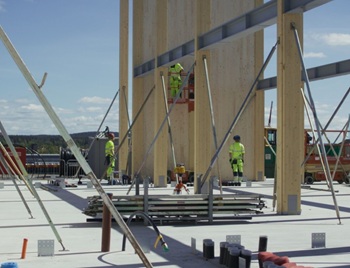
The overlooked environmental aspect of data centre development.
Introduction to radon awareness
New technical information sheet published by CIOB.

Updated supplier guide can help electrical contractors engage with NHP.

CIAT confirm the winners of the 2026 architectural technology awards.
Government launches a one stop shop for flood preparedness.

Sir Edwin Lutyens: Britain's greatest architect? Book review.
CIOB publishes free template to help assess and manage risks.